Game
On this page I'll share some progress about my game, which is currently in development from late 2025 and probably to 2031. It's difficult to describe the style and genre of the game right now since it's in a very early stage and things might change and move around.
This game is written without any off-the-shelf game engine. It's built on Raylib as a high-level graphics, audio, and user input library. So a lot of stuff an engine usually provides, must be implemented by me.
The reason why I'm not using a third-party game engine here, is because they solve a very broad problem and come with stuff I might not need, thus bloating the project. Additionally they often limit you to a very specific programming language and paradigm, or you have to deal with some sort of FFI.
Lastly: at some point you need access to the source of the engine, to clear assumptions or change things. But then you're involved learning this codebase rather than actually working on your game.
Building the game without a game engine allows me to really tailor the code to specific problems and focus on building the game, without getting roadblocked by code which I have zero experience or knowledge of.
Entries
2026-09 - Collision Detection #3
Debug Capabilities
The tree debugging tool got a few upgrades and the broad phase algorithm received more optimizations!
- Additional views: Tree & Bucket
- Simulation: Objects getting randomly inserted into or removed from the tree. Plus, they can move in a random pattern
- Replay: Every session creates a seed which can be used to replay the simulation
- Data recording: When simulating, it can also record some performance data and dump it into a CSV file, which can be used for creating charts
Overview
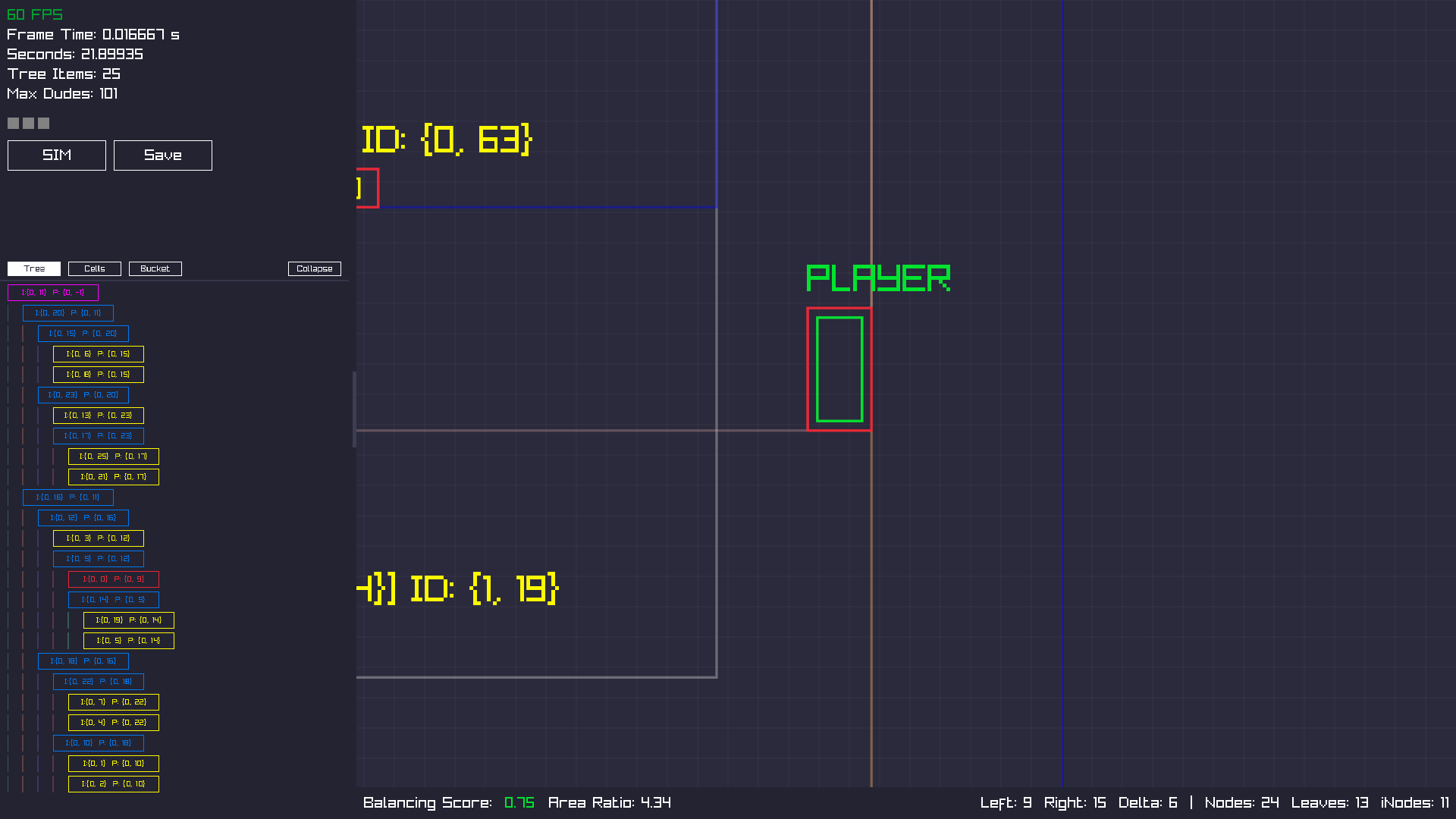
On the left side there are now three different display options for the tree.
Last time in Collision Detection #2 there was only a "Cell View", representing
the tree as an array.
The newly added "Tree View" represents the tree horizontally, as we know it from file trees. And "Bucket View" shows the contents of a bucket array, where the tree is stored.
Looking at the canvas, there's a green box surrounded by a red box. The latter is the mentioned optimization. When the inner box moves outside the red box, it will re-insert the object into the tree.
This avoided a lot of re-insertions! In my tests, I got 1,000,000 re-insertions
before the optimizations.
And after the optimizations, it went down to 275,000 re-insertions!
Thanks to the replay feature, those measurements are actually comparable.
Chart: Pre-Optimization
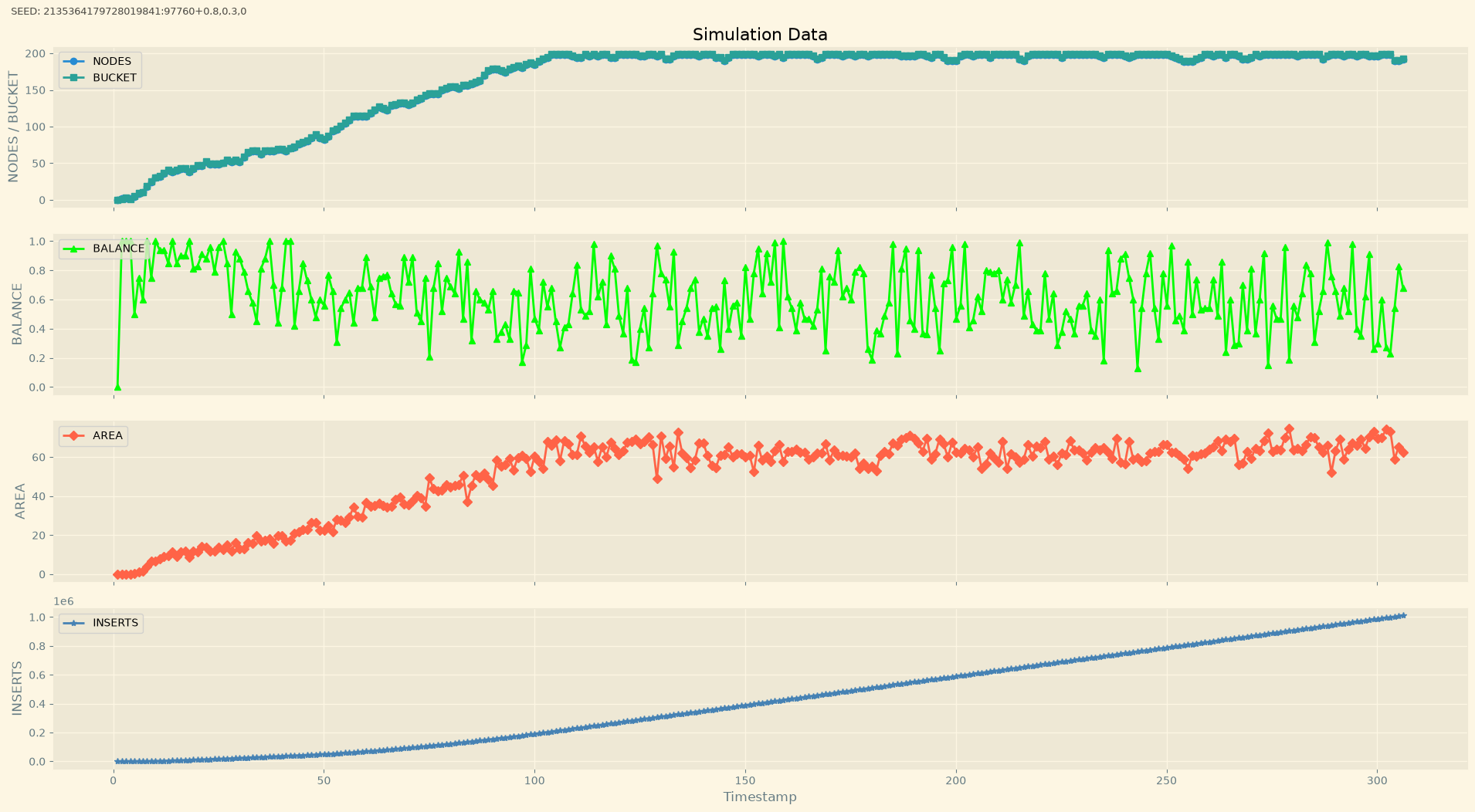
From top to bottom:
Nodes/Buckets: Is the count of all nodes in the tree and occupied slots in the bucket array. Both lines should overlap; otherwise it indicates a leak.
Balance: Indicates how balanced the tree is. Higher number: good.
Area: Also a metric that describes the quality of the tree. Lower number, relative to the number of nodes: good,
Inserts: How many re-insertions happened. Lower number, relative to the number of nodes: good.
At the 300-second mark the count of re-insertions is around 1 million. Enabling the optimization led to this:
Chart: Post-Optimization
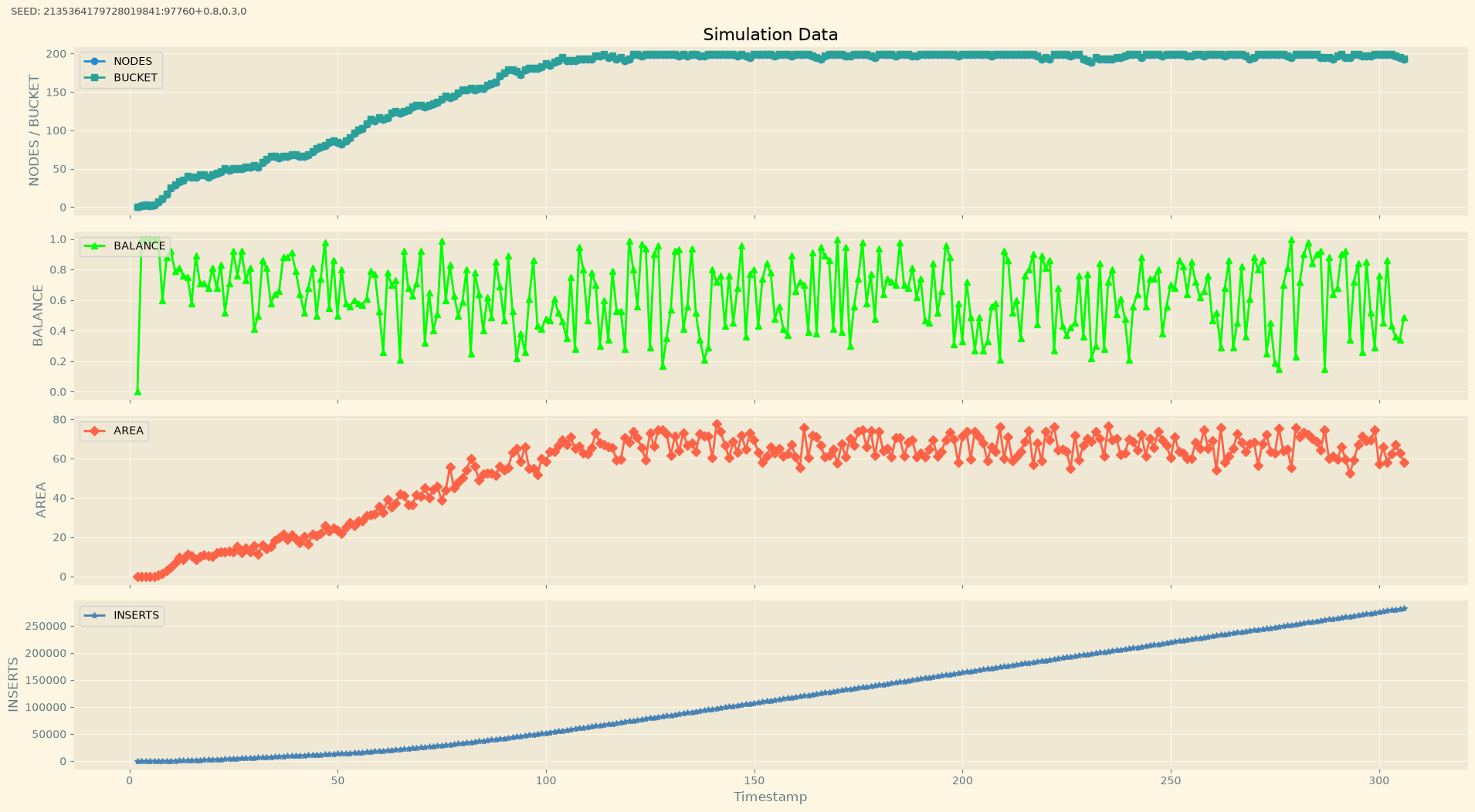
This is a 72.5% improvement over the previous state!
Example 2
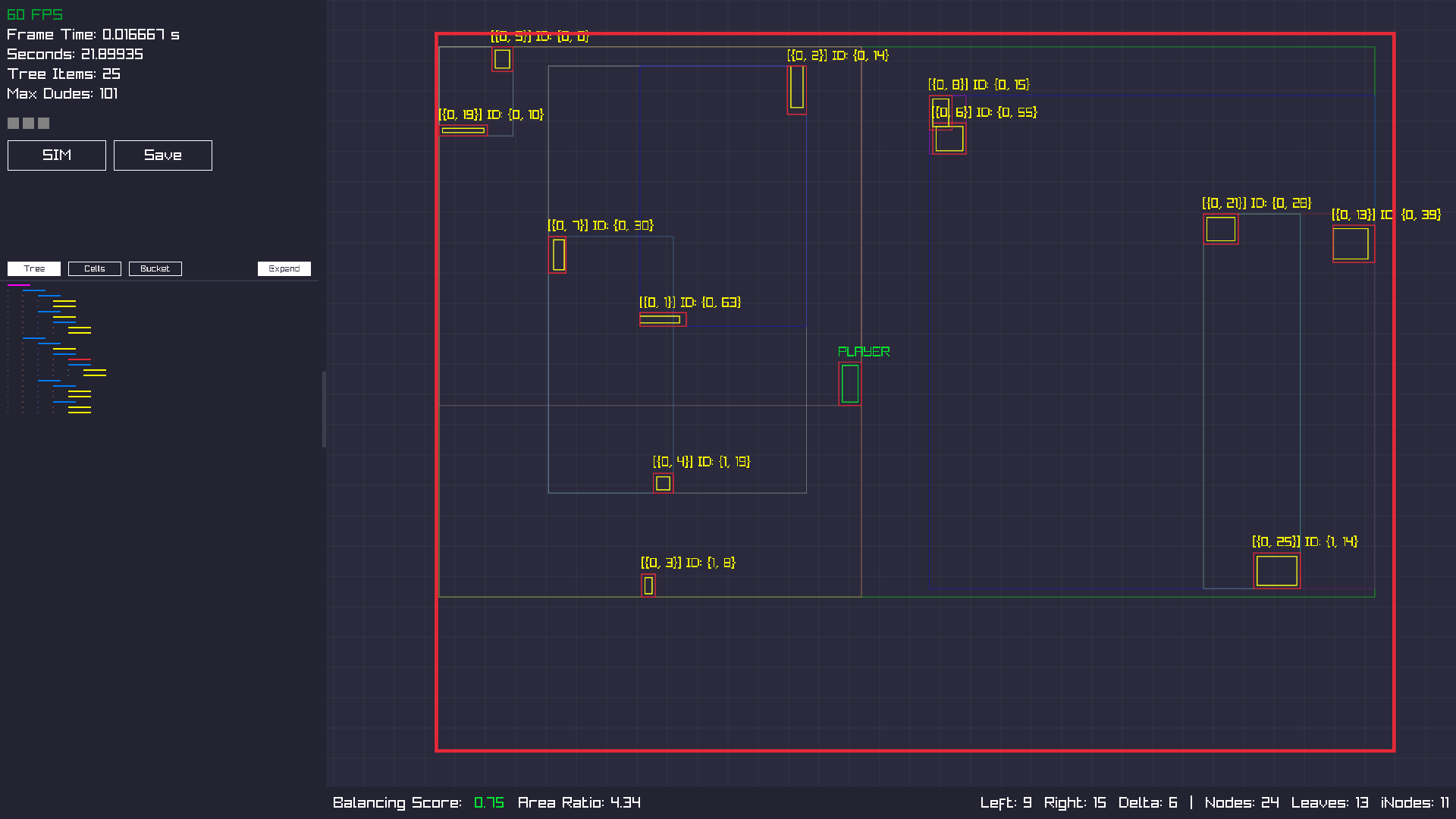
Here you can see the tree view collapsed, which comes handy with more nodes.
Example 3
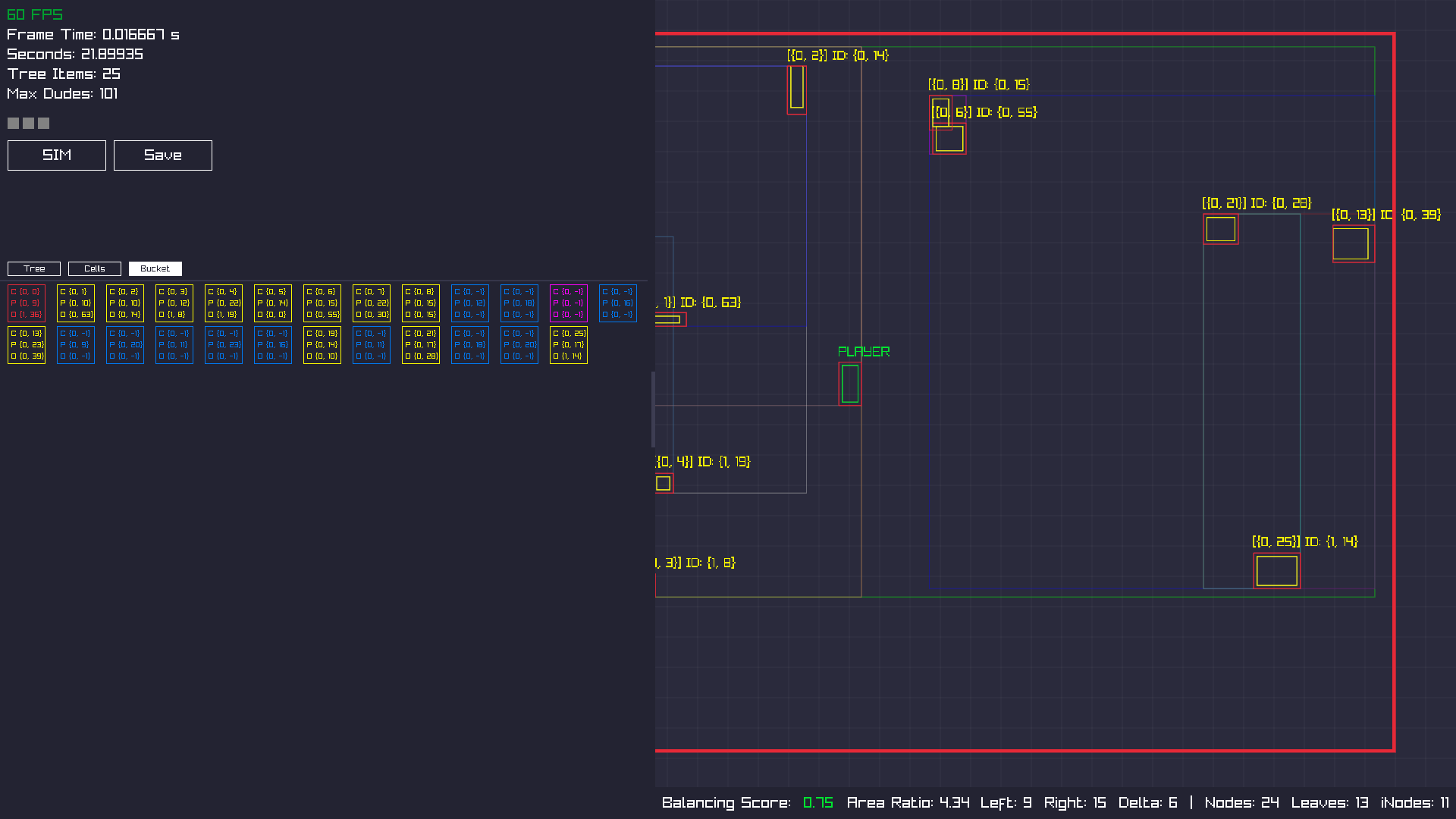
You can also resize the data view, making more room for the visualization.
Video
Here is a video (34 MB) which shows the new improvements in action.
2026-08 - Collision Detection #2
Broad Phase
As mentioned in Collision Detection #1, doing expensive math on every object to determine if and how objects collided is not optimal for a game which should run at least on 60 fps.
To avoid those expensive checks we do conceptually two things.
- Put those objects into a bounding volume (abbreviated as BV)
- Build a spatial hierarchy to determine which BVs are in close proximity
The bounding volumes can be any of these shapes:
- rectangle
- circle
- cube
- sphere
- convex hull
- n-DOP (Discrete Oriented Polytope)
And to determine which objects are near each other to build the said hierarchy, we use a
bounding volume hierarchy.
Using a (binary) tree as data structure has the benefit that querying for a possible
collision between two objects is very cheap, since we can factor out whole groups of
objects that aren't even in close proximity.
Erin Catto explains here how a BVH exactly works and he implemented it in his library box2d, which you can look up here.
Screenshots
Although the screenshots from Collision Detection #1 indicated a 2.5D game, the following screenshots show a 2D canvas. The reason for that is that the engine considers only 2D primitives, so there's no point in including the third-dimensional axis.
Example 1
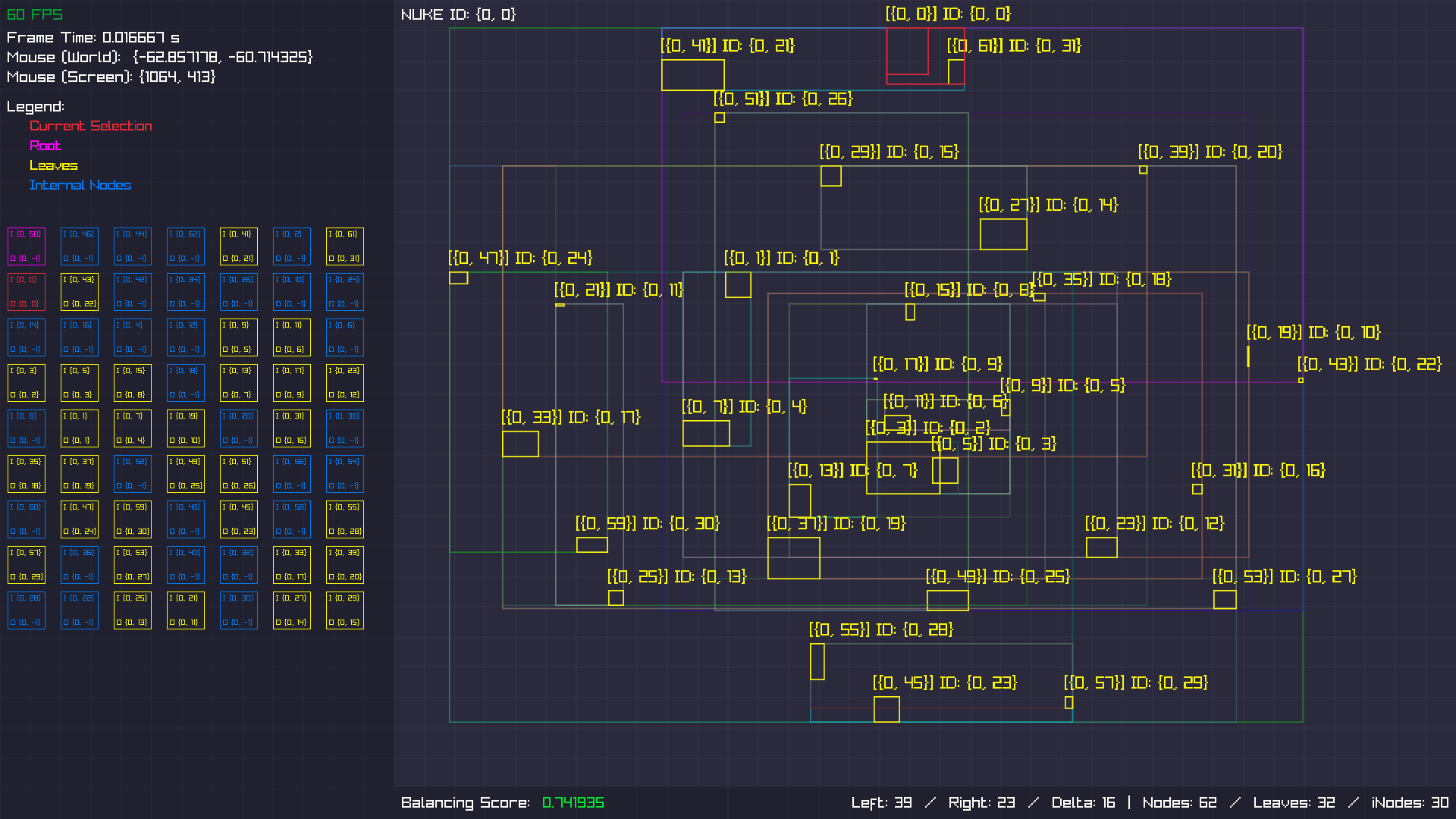
There are a lot of things in this screenshot. Let me break it down.
There are three sections.
- Left, performance info and the BVH displayed as array. Each cell is a node
- Right, the BVH from a players perspective
- Bottom, information about how balanced the tree is
Yellow rectangles on the right represent game objects which have collision data and
might collide with each other.
The yellow text, like this one: [{0, 4}] ID: {0,2} are IDs which
point to specific locations in the BVH-tree.
The rectangles in different colors are the individual groups. Every group contains either:
- two yellow rectangles
- two groups
- one yellow rectangle and one group
And lastly the red rectangles. The inner one is an entity I move around with my keyboard, and the outer rectangle is its parent group.
Example 2
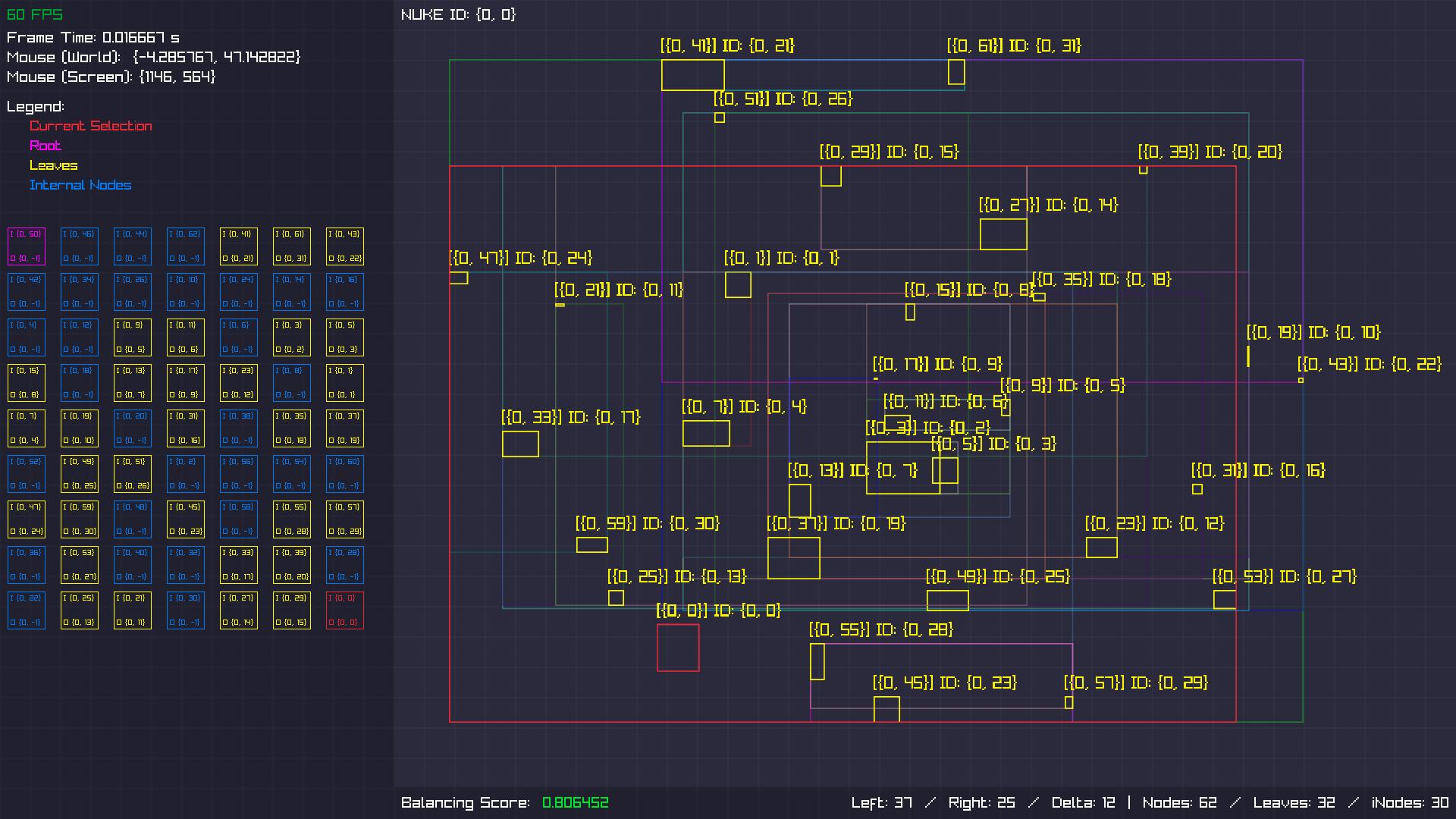
Here the red inner rectangle moved to a different position, which re-evaluated the parent
group. Now it contains a way bigger surface than before, which seems to be wasteful when
checking if a ray intersects with any object in its path.
But I have to bench it first, whether this is really a problem.
Example 3
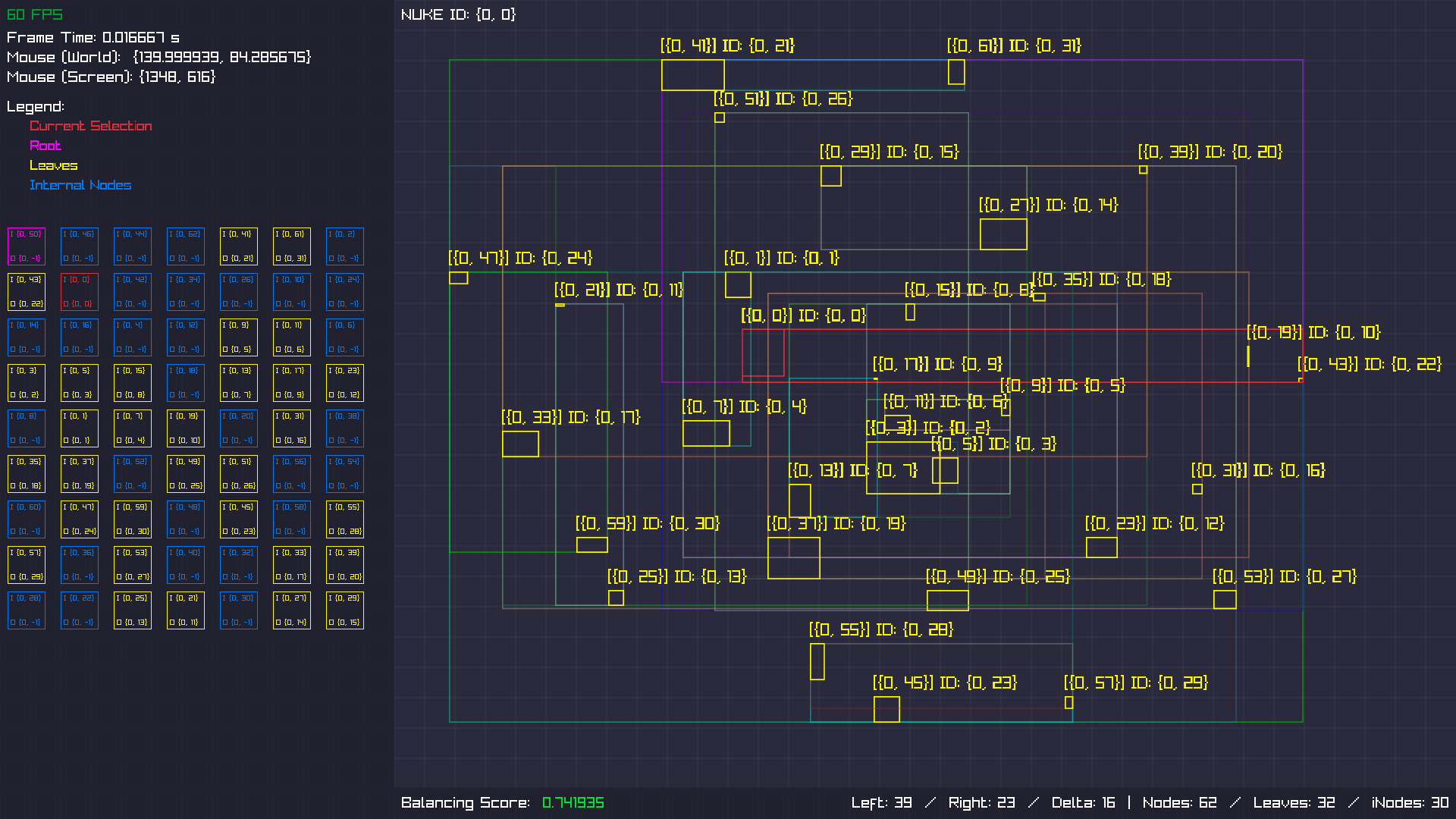
Another scene that looks wasteful when raycasting against it.
Example 4
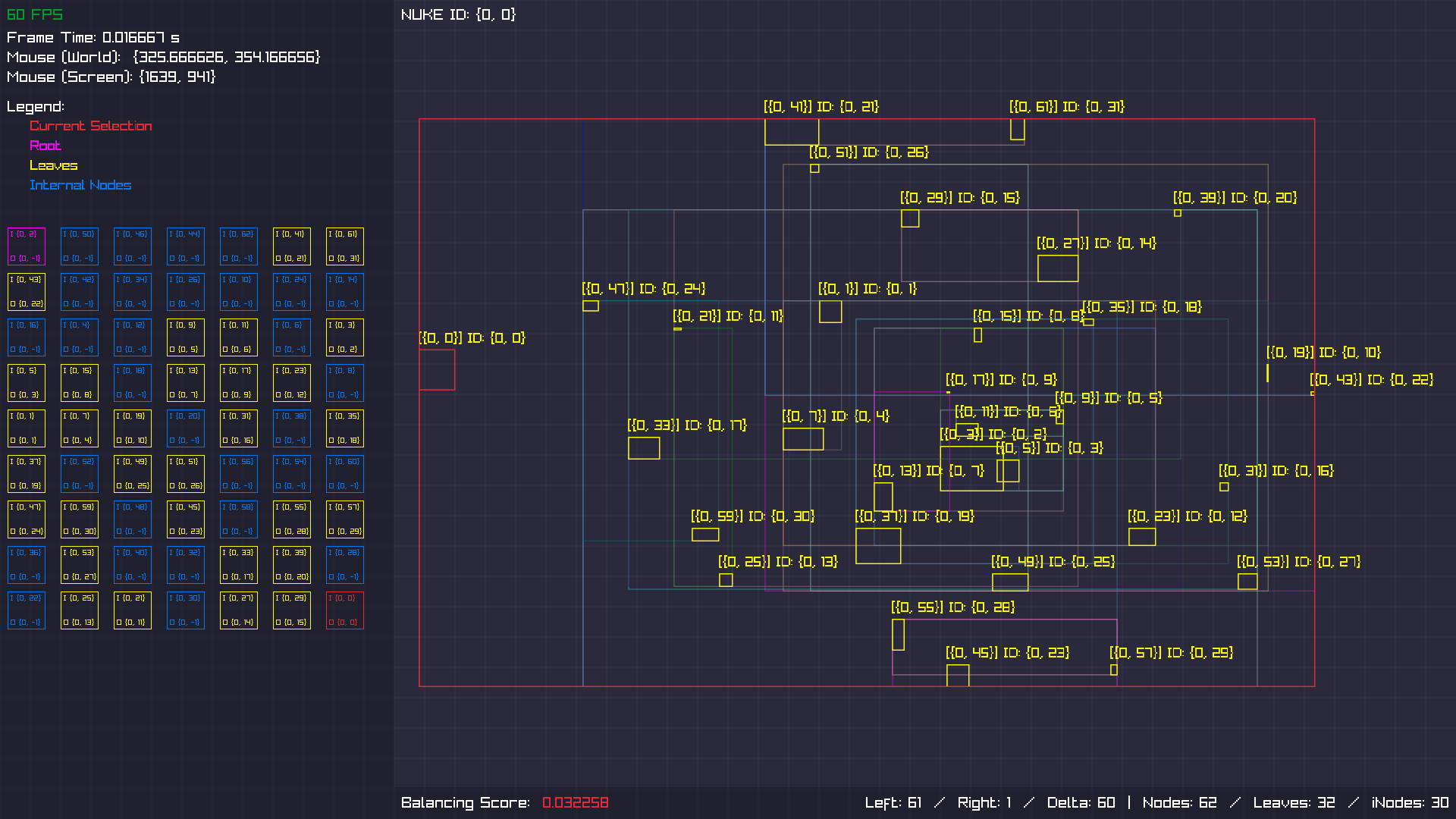
The thing is, you want two things here.
- Decent hierarchy
- Good performance
But this is a question for a different entry.
Video
This video (7.4 MB) shows the BVH in action. With every movement it deletes and reinserts the moving object into the tree.
2026-06 - Collision Detection #1
Narrow Phase
Every game needs some sort of collision detection. Depending on the shapes you decide on, it might get more complex. If you build everything around circles/spheres, the collision tests are very, very easy and every computer is capable of calculating those within a very low frame budget.
If you're adding axis-aligned rectangles, it's also quite easy. But what if you want to rotate those rectangles? Well, then you have to do a bit more calculations.
Thankfully, smart people figured this out. Most of the time you get away with the SAT (alternative source). And for even more complex shapes, there's the GJK in combination with the EPA.
In some cases you might need both, but this really depends on the kind of shapes you'll use. The best thing is to keep the shapes as simple as possible.
The book "Real-Time Collision Detection" by Christer Ericson provides good insight about the whole topic.
Screenshots
Now that I talked your ear off, I can provide some visual material. It's not a lot in this stage, since most stuff happens under the hood, but I can show a few things.
Contact Points / Manifolds
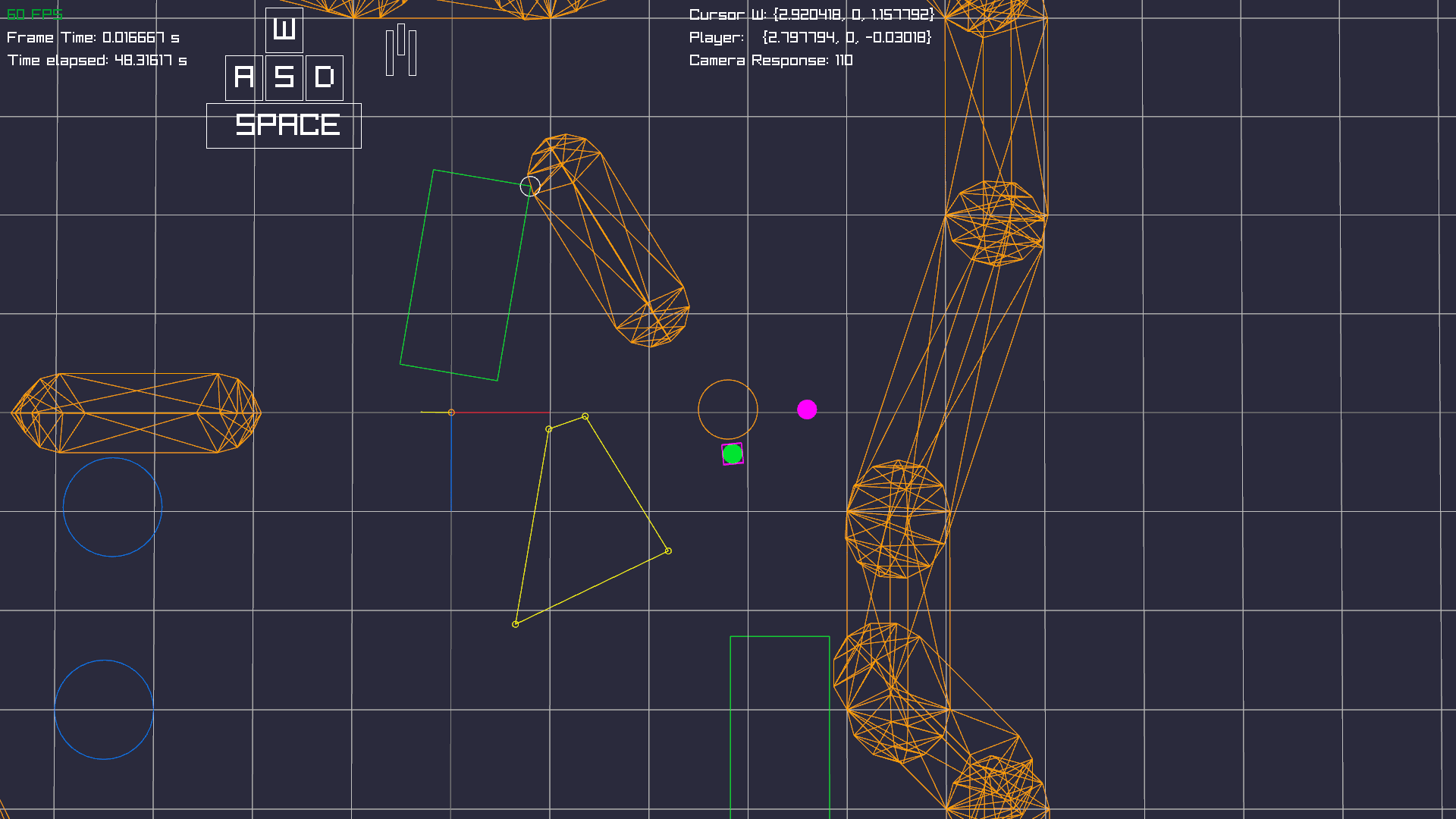
The orange circle - in the middle of the screen - with the green and pink spheres, is the player. The green sphere is the direction of the cursor, where the pink sphere indicates the facing direction of the character (East, West, North, South).
Slightly towards north-west from the player there's an orange capsule and a green rotated rectangle. Both are touching each other. That point in between them is called "contact point" or "manifold". A manifold is a data structure which holds information about exactly where the contact point is and the direction of the contact. Which is important later to resolve the collision - for example to apply physical forces.
Down below that, there's a yellow polygon. This is a visual representation of what the collision system "sees". So the edges correspond with the shapes which are colliding. You can see that two of the yellow lines have the same angle as the edges of the colliding shapes.
Multiple Contacts between Different Shapes
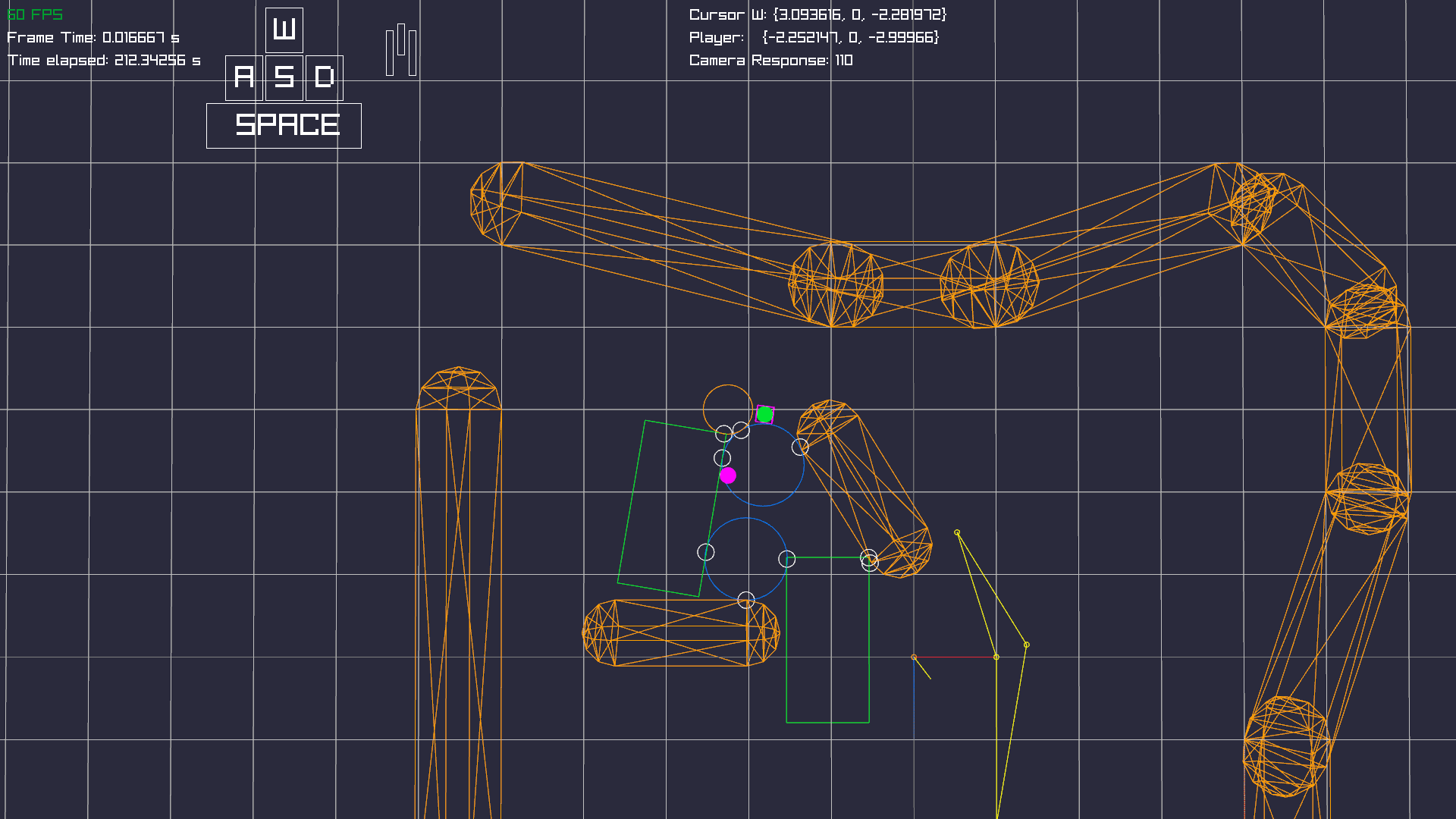
The system must be capable of testing collision between different shapes. So here you can see the contact points (white circles) between all of them.
Actual Camera Angle
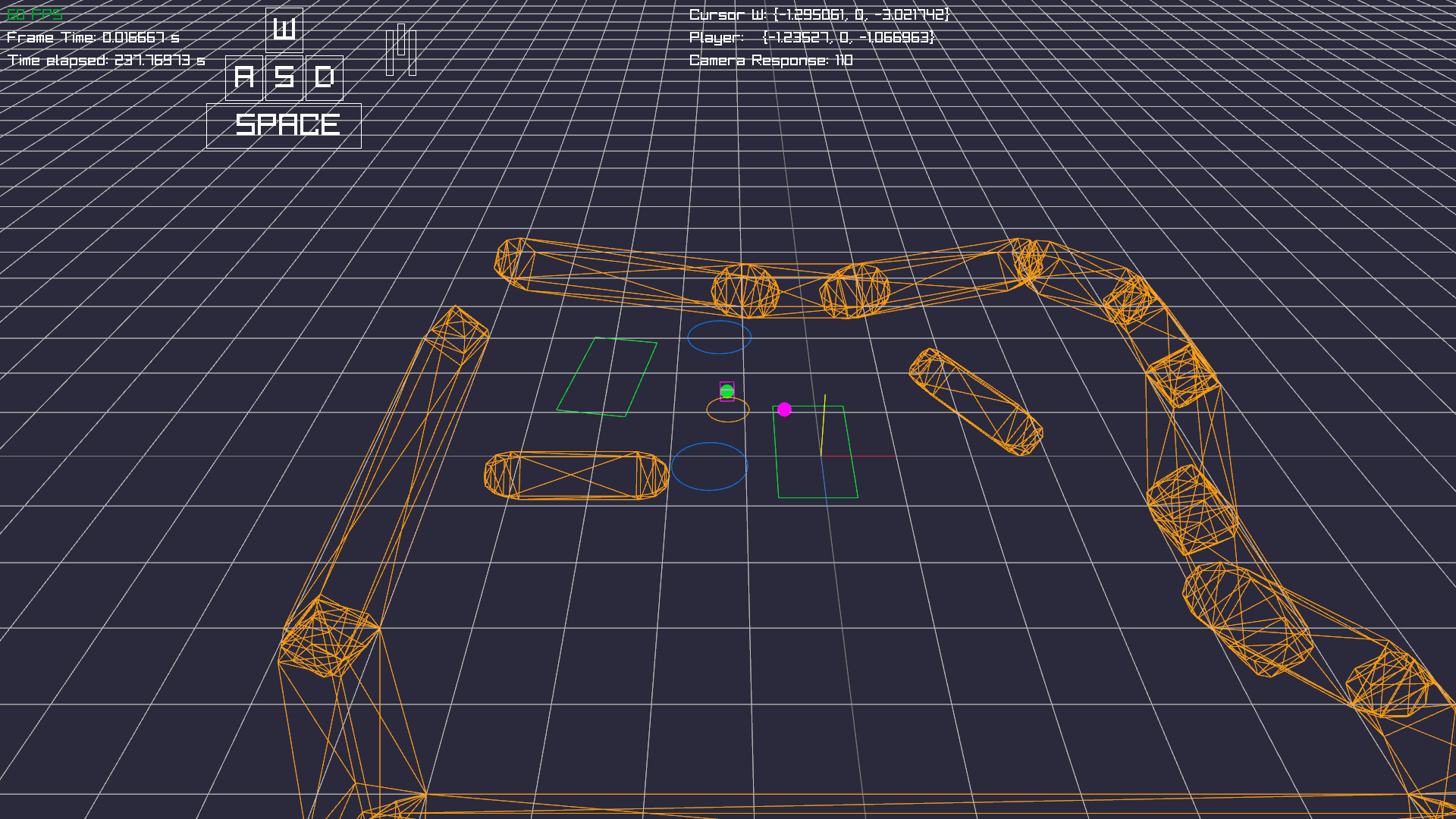
This is the actual camera angle of how players will experience the world most of the time. The exact angle might vary and will depend on the game mechanics and visuals.
Broad Phase
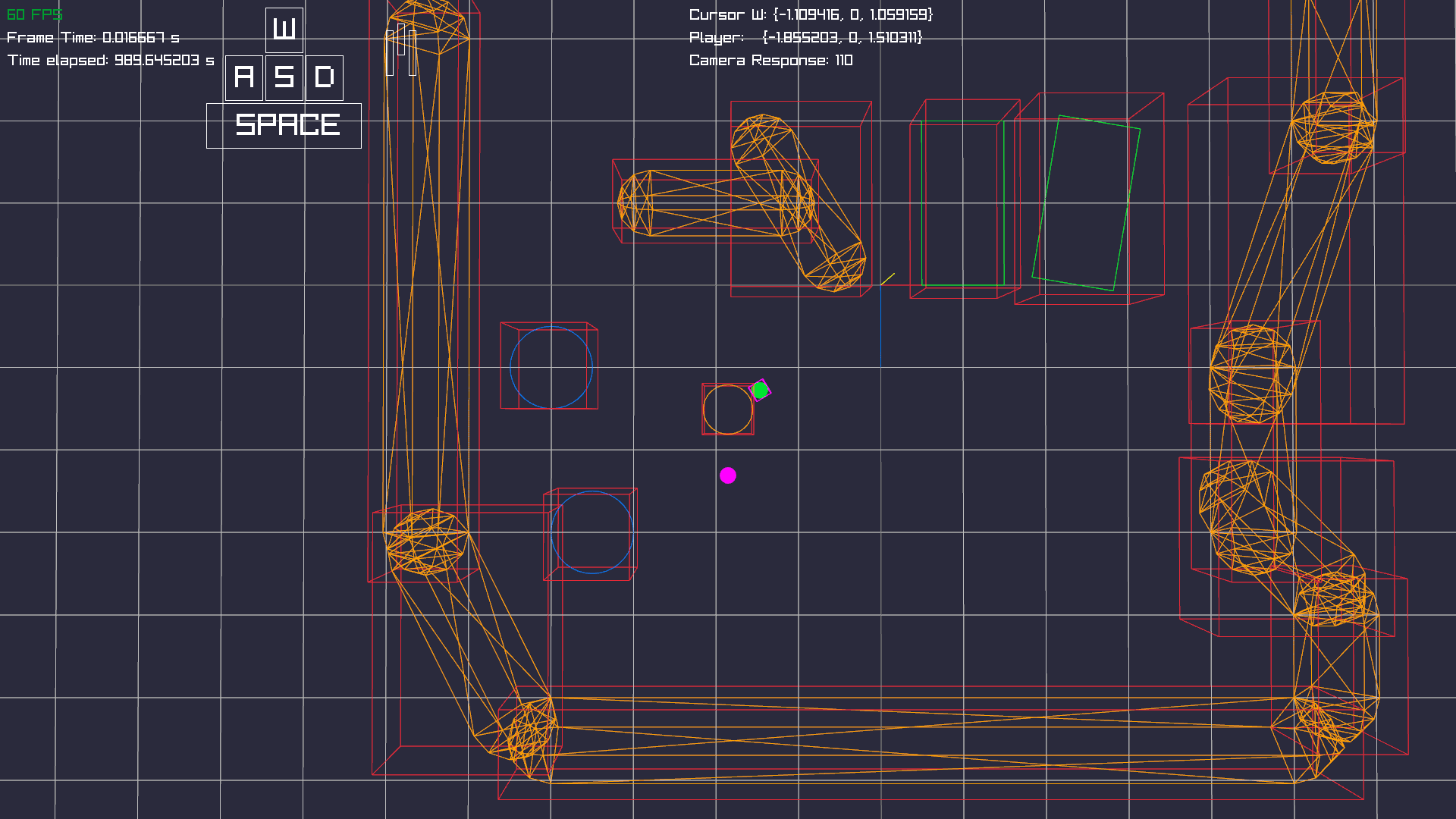
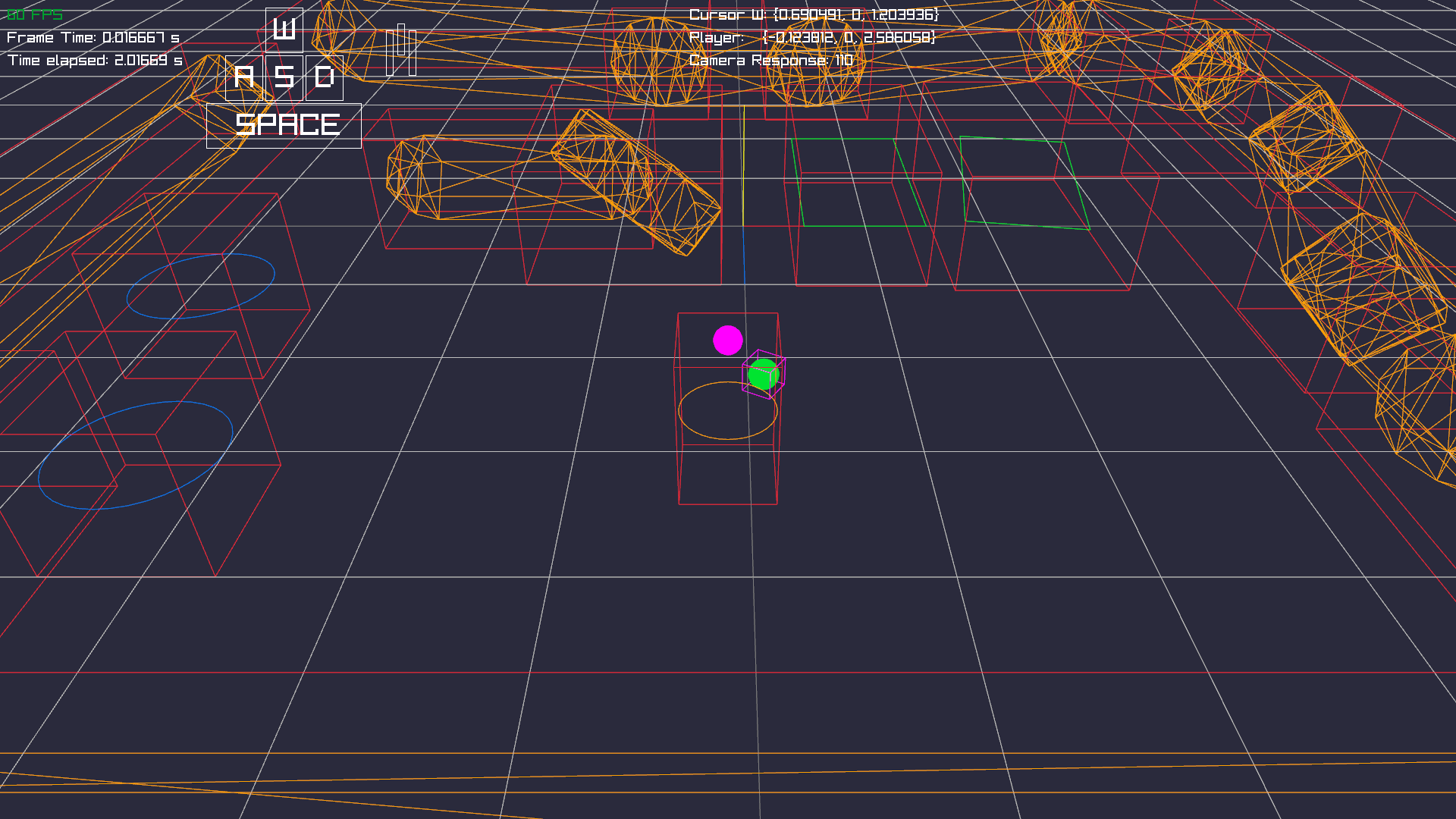
When testing a lot of objects for collision, you want to filter out objects which are not close together, so you don't waste compute on performing more expensive tests. This is called "Broad Phase". Whereas the "Narrow Phase" corresponds to actually testing the collision, with more expensive algorithms.
The idea is, that you give your shapes a bounding volume (short: BV). A BV is a simpler shape over your complex shape, which is simpler and faster to test.
To determine which object could collide we build a bounding volume hierarchy, which is (mostly) a binary-tree structure. This allows us to eliminate entire groups of objects for which we don't have to test collision.
Mind you, that this technology might not be necessary for every project. It kinda requires some "load" to be really effective. So if you have a lot of static objects and not so much to test, this approach might be overkill.
Broad Phase: Different View
Video
Here's a video (24 MB) which shows the collision system in action - without the broad phase yet.